To achieve high-precision positioning for aerial photogrammetry and LiDAR scanning using the Freefly Astro drone, proper GNSS antenna installation is essential. Below are requirements for antenna mounting..
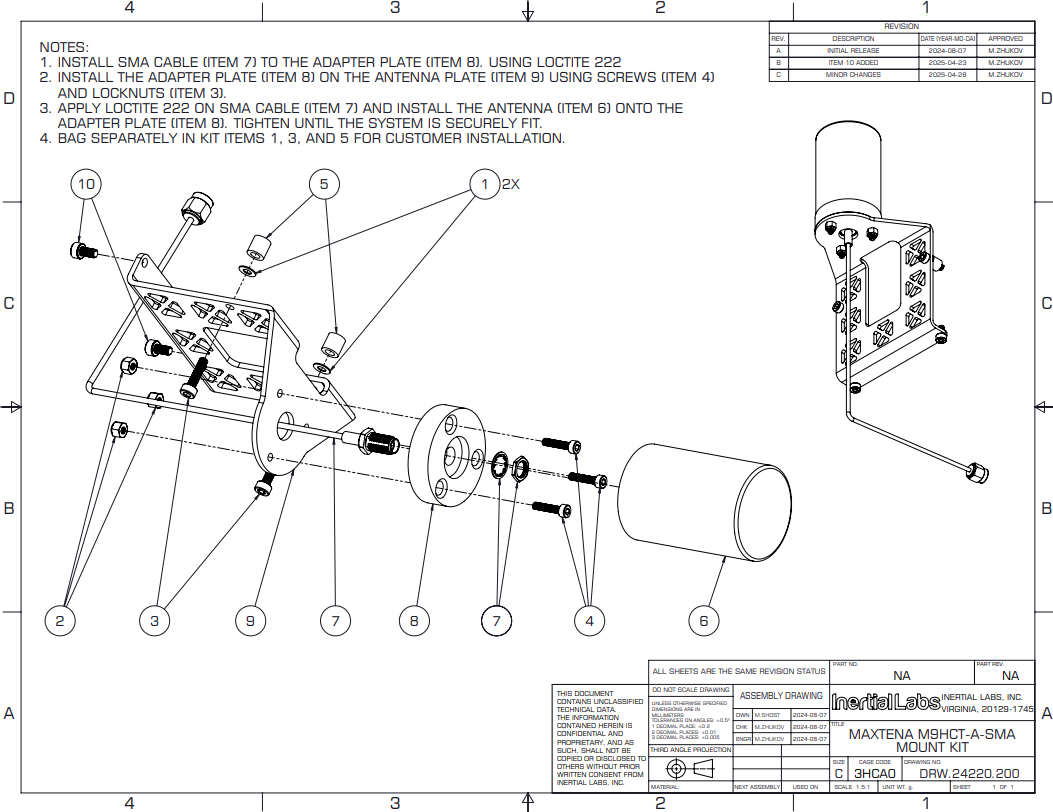
Prepare the mounting base: To mount the Maxtena M9HCT-A-SMA, the user will need the special mount (available from Inertial Labs, PN: MSA000315-001) as shown in the Figure 1. For more information or to inquire about purchasing, please contact sales@inertiallabs.com.
Figure 1. Maxtena M9HCT-A-SMA Mount Kit.
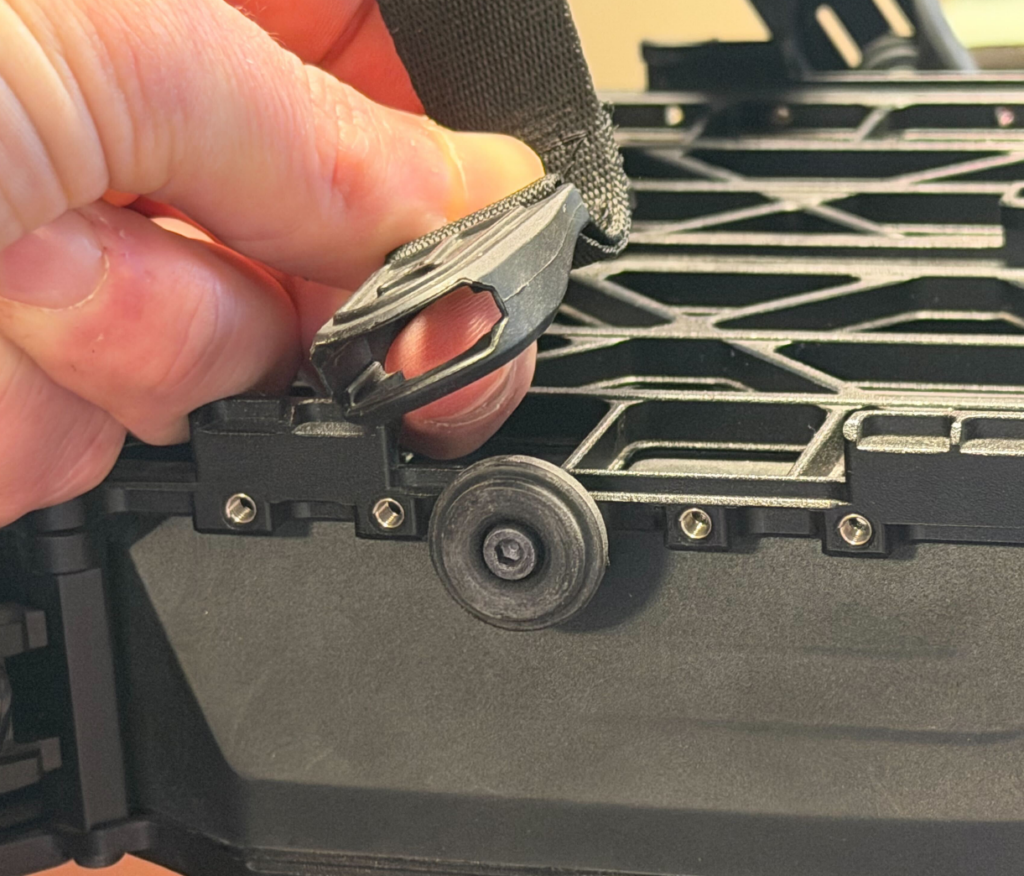
Disconnect strap as shown in image below (Figure 2):
Figure 2. Disconnected strap.
Following the instructions in Figure 1, attach the antenna to the adapter plate.
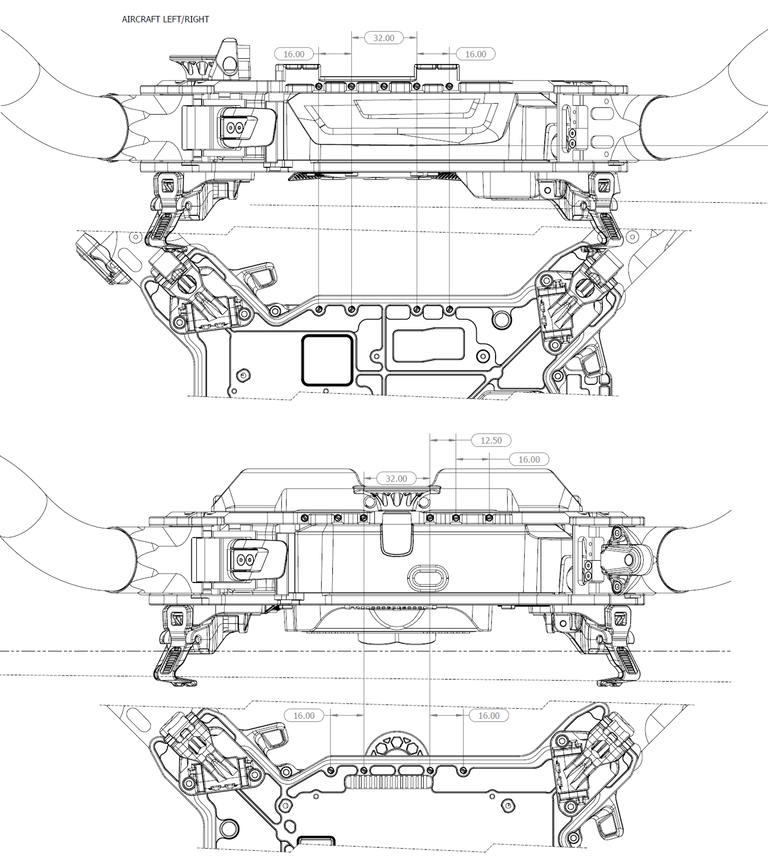
The Adapter plate is screwed into special holes on the drone body as shown in Figure 3.
Figure 3. Freefly Astro Drawing.
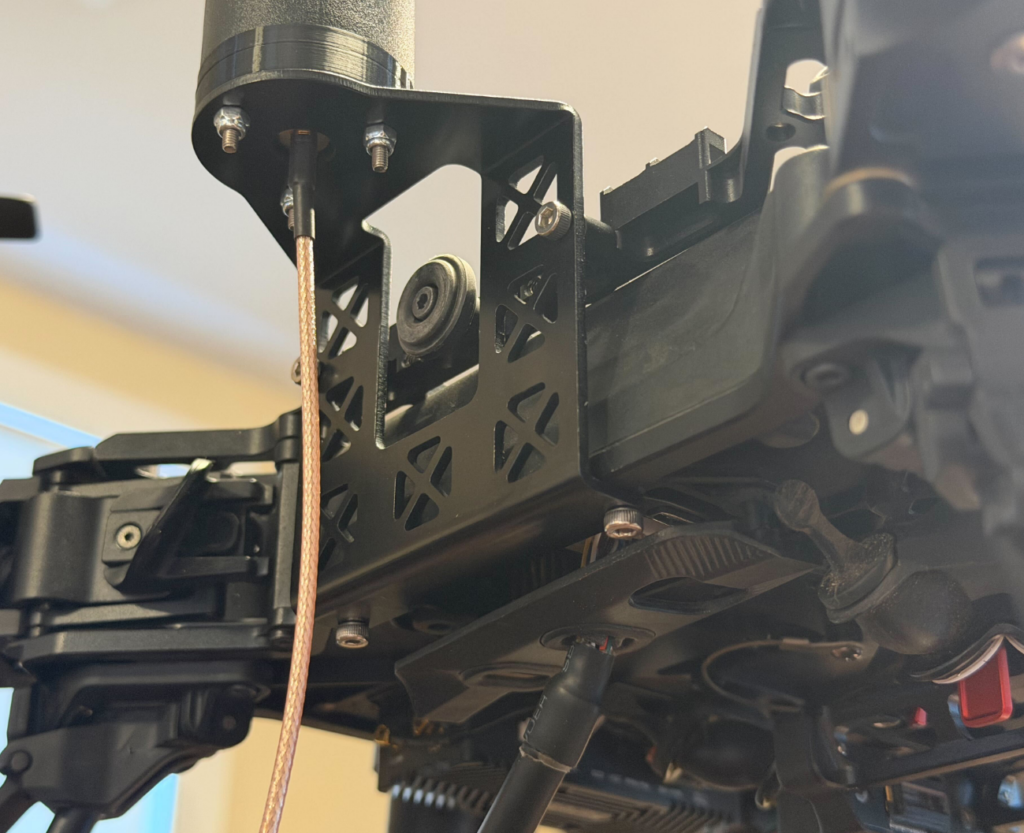
Figure 4 shows what the antenna looks like when mounted on a drone.
Figure 4. The appearance of the antenna attached to the drone.
Route the antenna cable to the RESEPI.
Secure all connections.
Measure and record the antenna offset (lever arm) relative to the drone’s IMU and center of mass — this offset is required for RTK post-processing accuracy.