Damper (Isolator) Assembly and Installation Instructions for DJI Drone #
This instruction applies to part number PRD250004-001, “Matrice Drone Vibration Isolator Expansion Kit.” The kit is universal and compatible with the DJI M300, M350, and M400 models.
1. Build Subassemblies
Assemble each damper (isolator) before installing it on the drone.
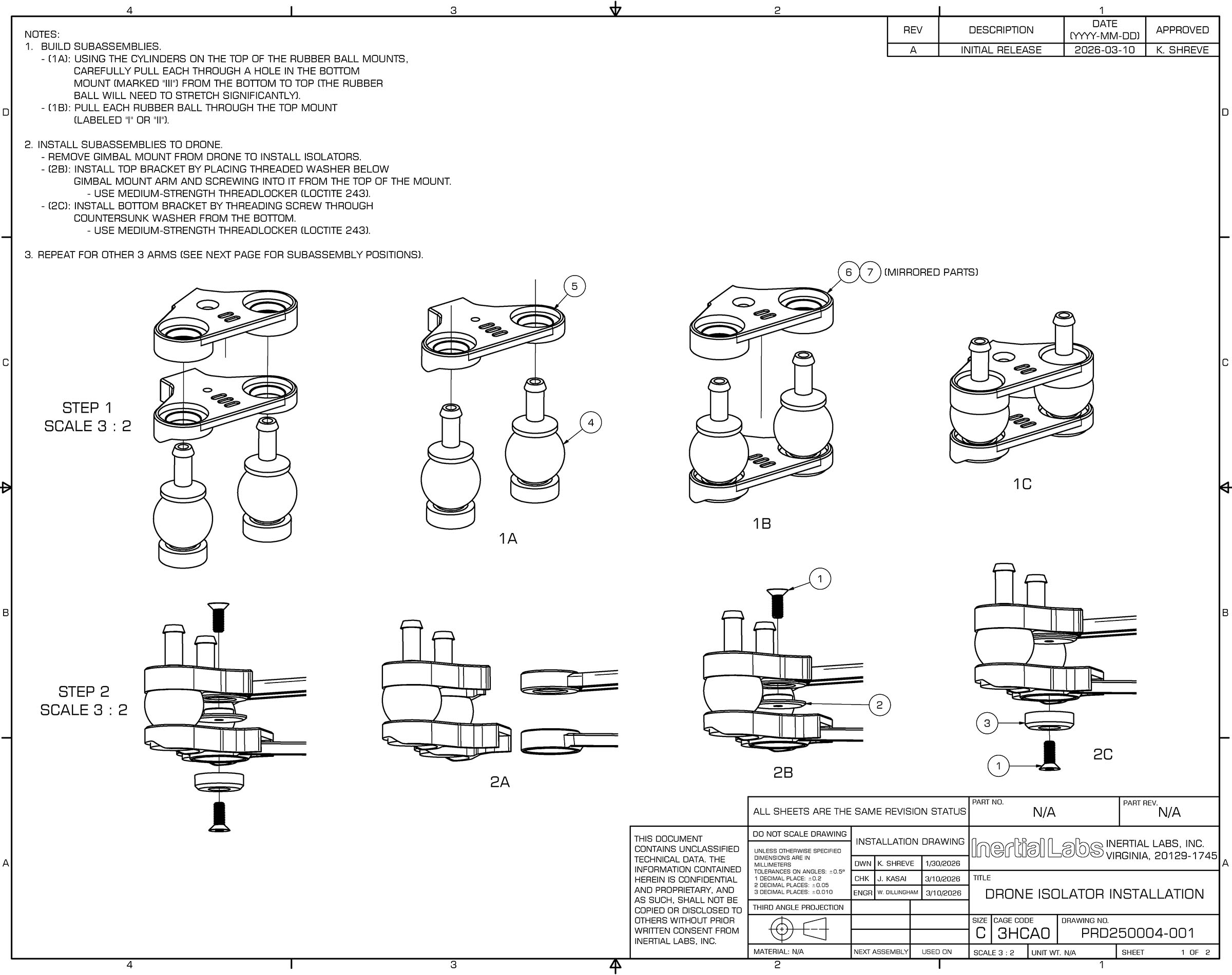
1.1 Using the cylinders located on the top of the rubber ball mounts, carefully pull each cylinder through the hole in the bottom mount (marked “III“) from bottom to top.
Note:The rubber ball will need to stretch significantly during installation. This is normal.
1.2 Pull each rubber ball through the top mount labeled “I” or “II” until it is fully seated and properly secured.
2. Install Subassemblies to Drone
2.1 Remove the gimbal mount from the drone to allow installation of the isolators.
Install Top Bracket
2.2 Position the threaded washer below the gimbal mount arm.
2.3 Insert the screw from the top of the mount and thread it into the washer.
2.4 Apply medium-strength threadlocker (Loctite 243) to the screw threads before final tightening.
Install Bottom Bracket
2.5 Insert the screw through the countersunk washer from the bottom.
2.6 Thread the screw into the mounting point and tighten securely.
2.7 Apply medium-strength threadlocker (Loctite 243) to the screw threads before final tightening.
3. Repeat Installation
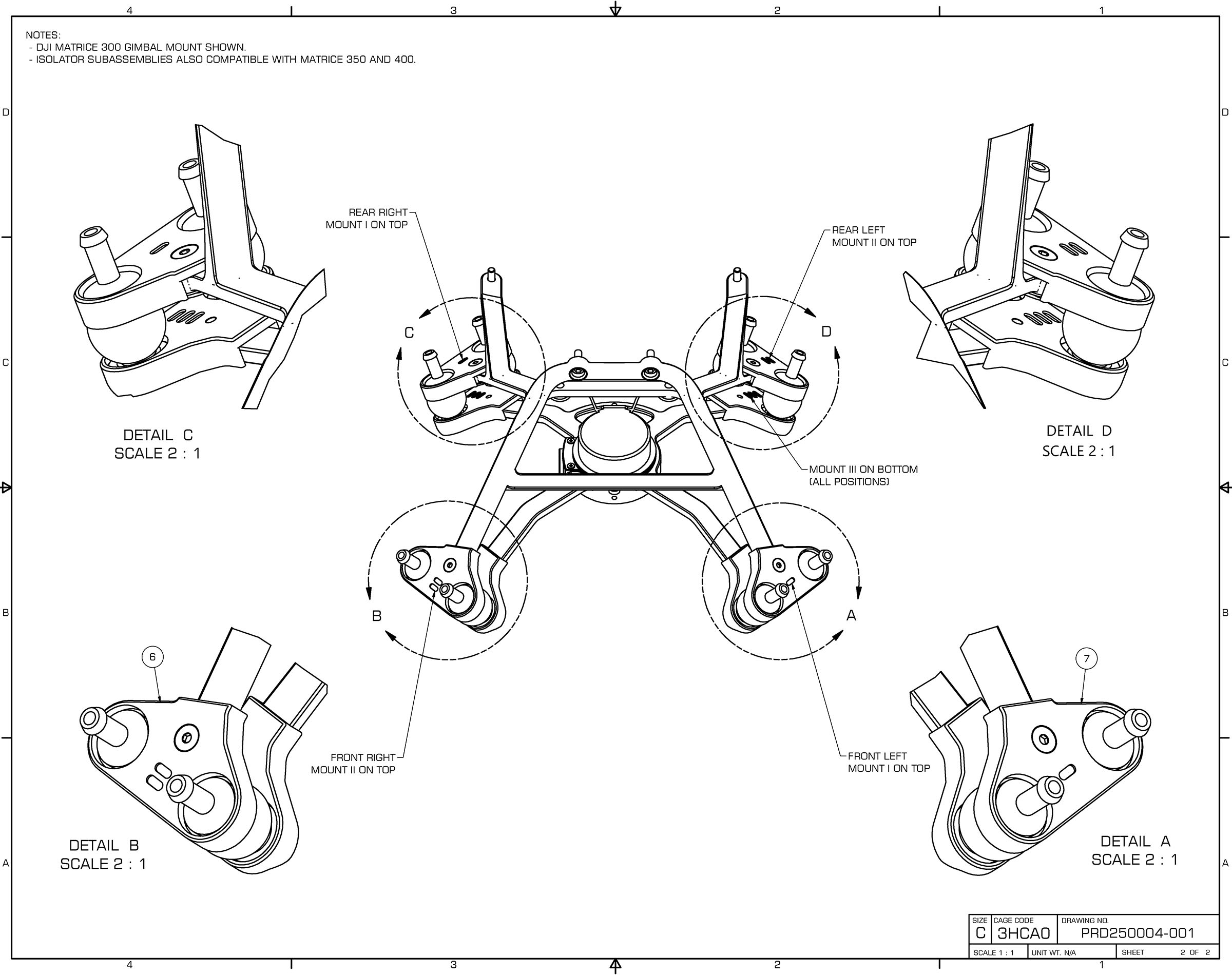
3.1 Repeat the procedures described in Sections 1 and 2 for the remaining three arms.