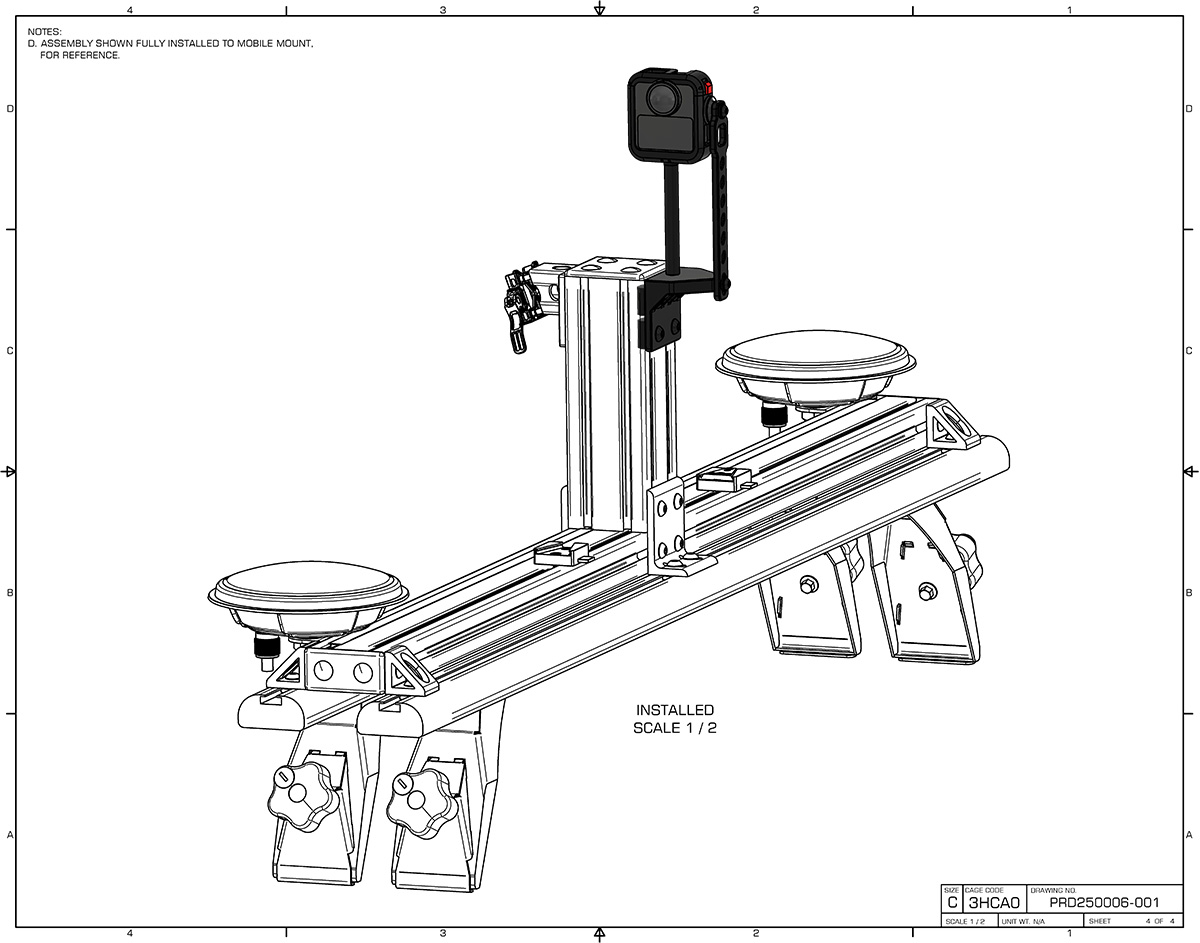
This technical manual outlines the procedure for installing the RESEPI GoPro MAX2 360 camera onto the mobile mount. Please read these instructions carefully and execute the steps in the exact sequence described. Before commencing assembly, ensure all components from the Bill of Materials (BOM) are present and undamaged. Non-shaded objects illustrated on the subsequent pages are for context and reference purposes only.
CRITICAL ASSEMBLY REQUIREMENT: In addition to the standard hardware provided in the kit, this assembly strictly requires the application of a medium-strength threadlocker (LOCTITE 243). Failure to apply the threadlocking compound to the designated fasteners may result in the unintentional loosening of components due to operational vibrations, potentially leading to equipment damage. NOTE: Apply threadlocker only to metal-to-metal threaded connections. Do not apply to plastic components or retaining pins, as the chemical compound will degrade the plastic material.
Step 1 #
Prepare the camera mount assembly components exactly as illustrated in Figure 1. Install the RESEPI GoPro MAX2 360 camera (Item 2) into the protective case (Item 1). Apply LOCTITE 243 threadlocker to the screws securing the bracket joints. Ensure that the main bracket assembly is structurally secure prior to integrating it with the mobile mount vehicle hardware.
Step 2 #
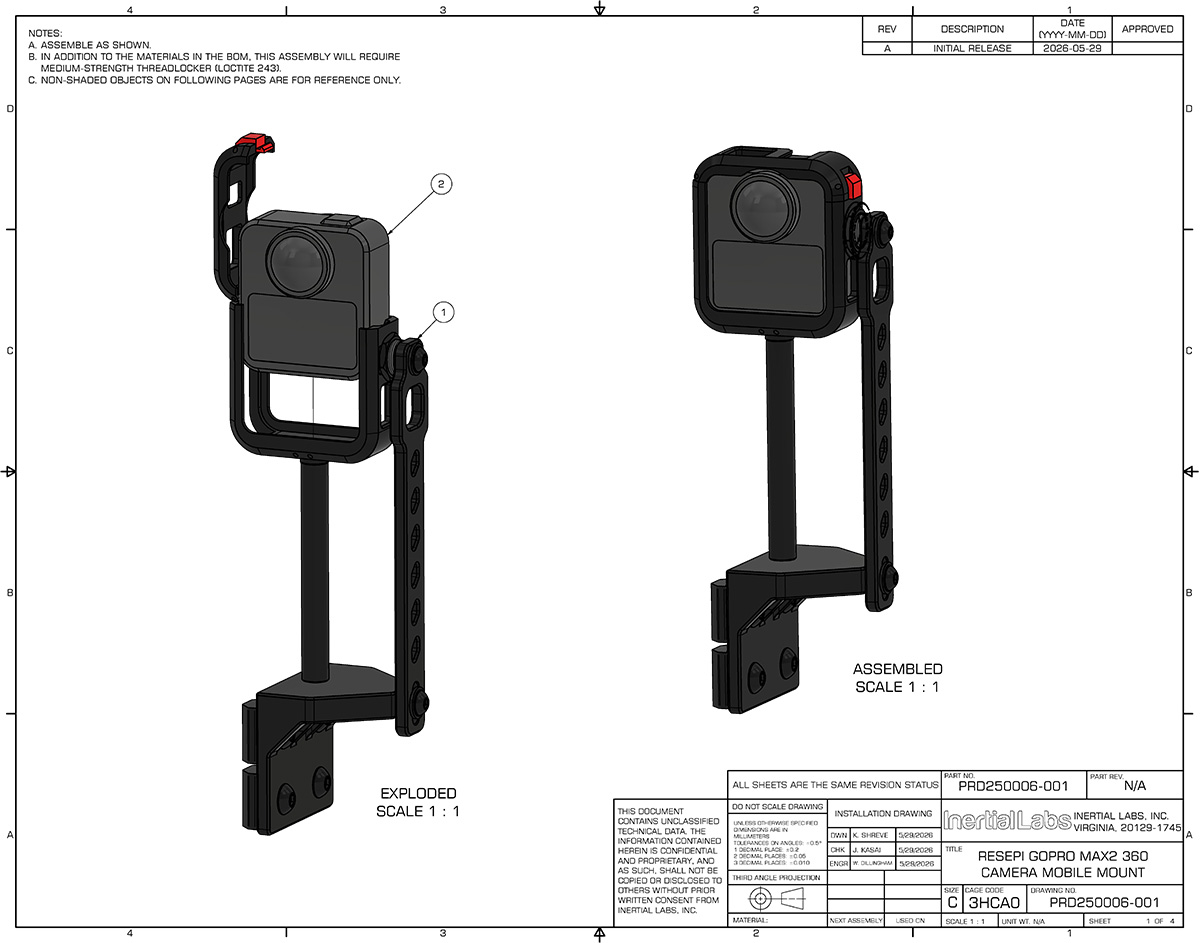
Execute the initial installation sequence on the mobile mount as illustrated in Figure 2:
- In the previously assembled camera unit (VIEW 1), replace the camera SD card with the new memory card (Item 3, not shown). Again, please make sure that you are using the supplied SD card from Inertial Labs, a VIAVI solutions company.
- Prepare the RESEPI mobile mount structure by removing its plastic cover and the corresponding retaining pins (as shown in VIEW 2: “REMOVE COVER AND PINS”).
- Position the camera assembly for installation onto the opposite side of the payload mount bracket, as shown on the drawing.
Step 3 #
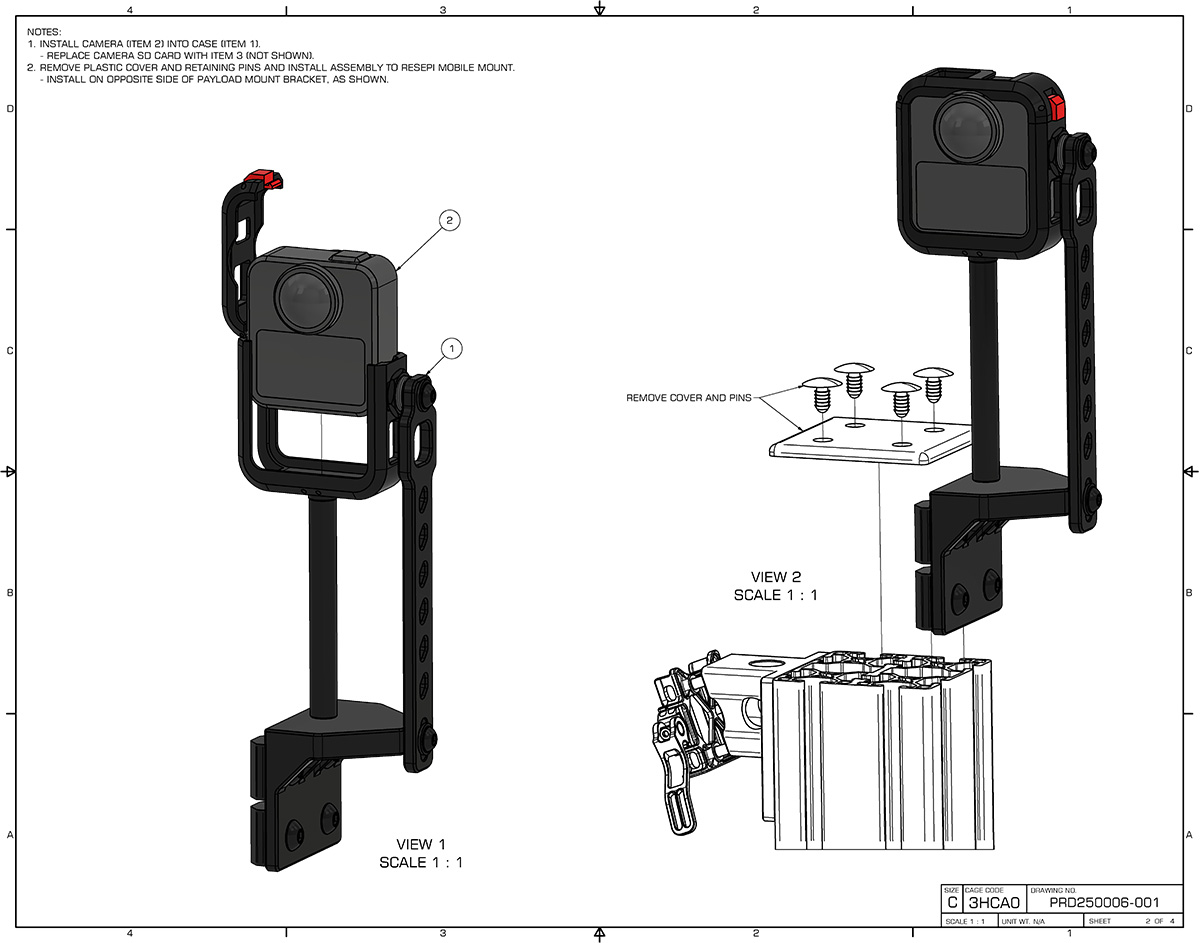
Complete the alignment and final lockdown of the assembly as illustrated in Figure 3:
- Slide the camera assembly into place by aligning the top edge of the camera bracket so that it is coplanar with the top edge of the payload bracket and the vertical pillar (as shown in VIEW 3: “TOP EDGES COPLANAR”).
- Apply LOCTITE 243 threadlocker to the designated adjustment screws on the assembly bracket. Tighten the screws firmly to secure the height and position of the assembly.
- Reinstall the plastic cover and secure it back into position using the retaining pins (as shown in VIEW 4). DO NOT apply threadlocker to the plastic cover or the retaining pins.
Step 4 #
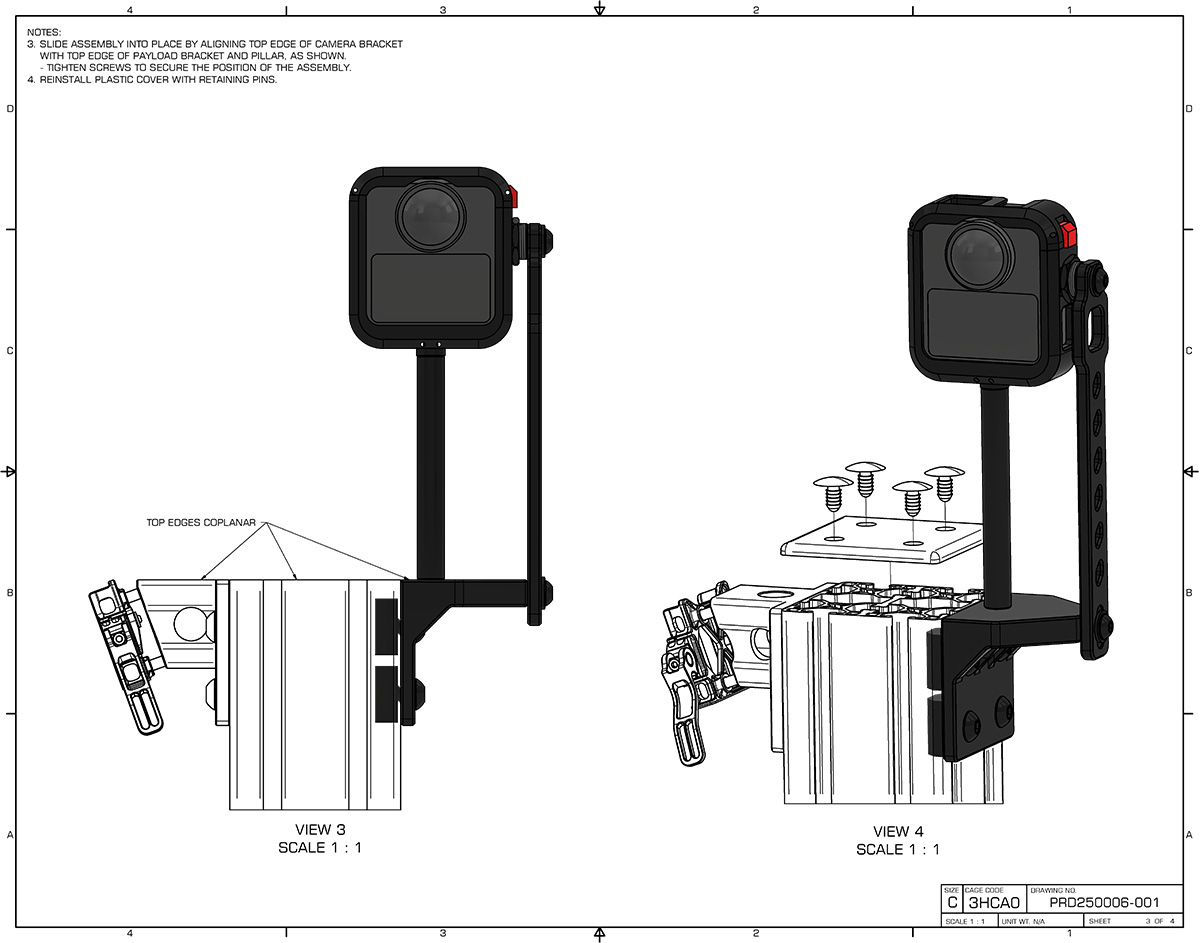
As a final step, verify the structural integrity and security of all hardware connections. The camera assembly is shown fully installed to the mobile mount for reference in Figure 4 (Scale 1:2). The mobile scanning system is now fully operational and ready for field deployment.